A clear next action.
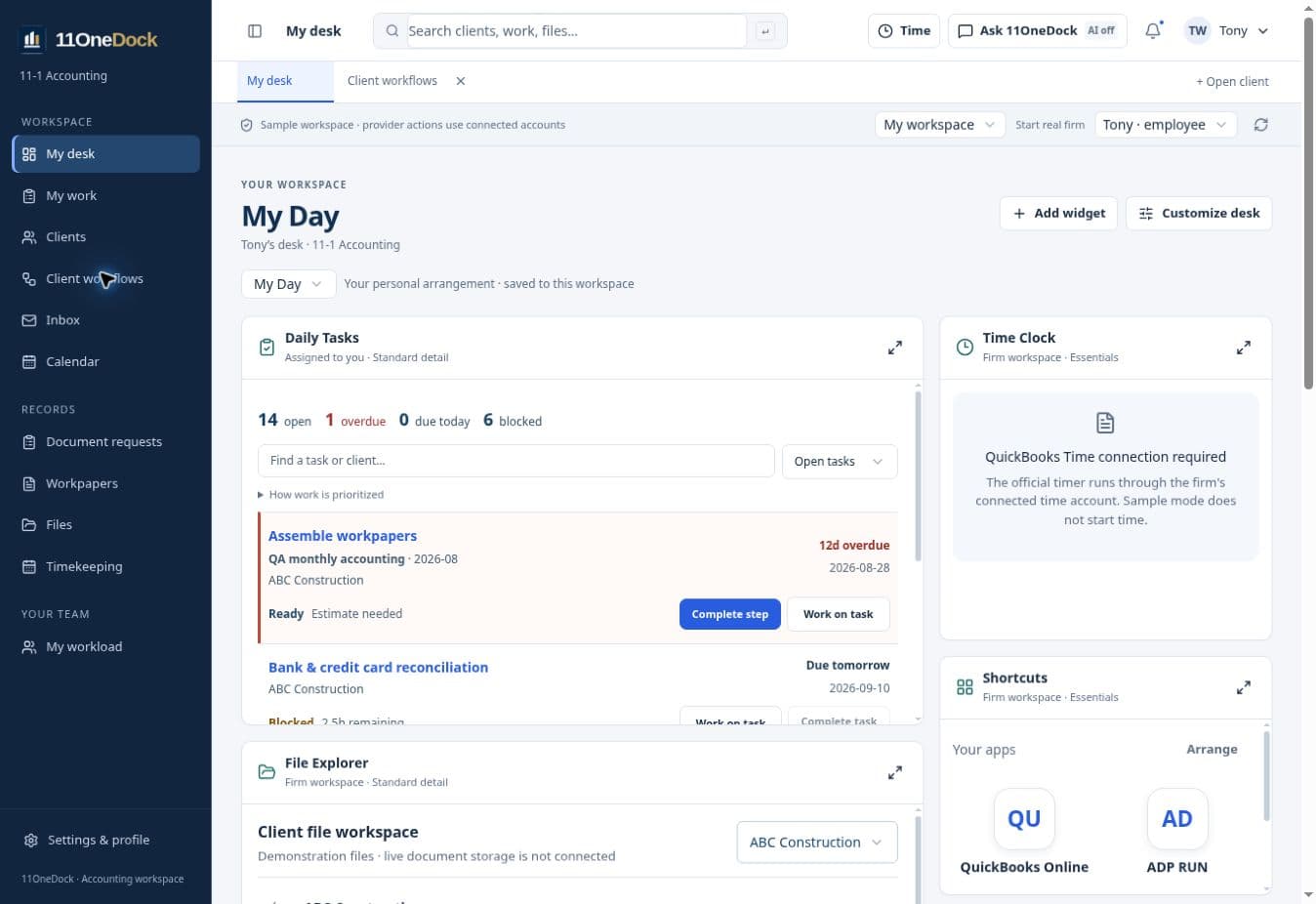
Start with assigned work. See what is due, what is blocked and which client needs attention. Open the work without losing your place.
ONE WORKSPACE FOR YOUR ACCOUNTING FIRM
Bring client workflows, review, files and your team’s daily work into one organized place. Arrange the workspace around the way you work.
Private early access · New firm registration is not open · Existing invited firms can sign in
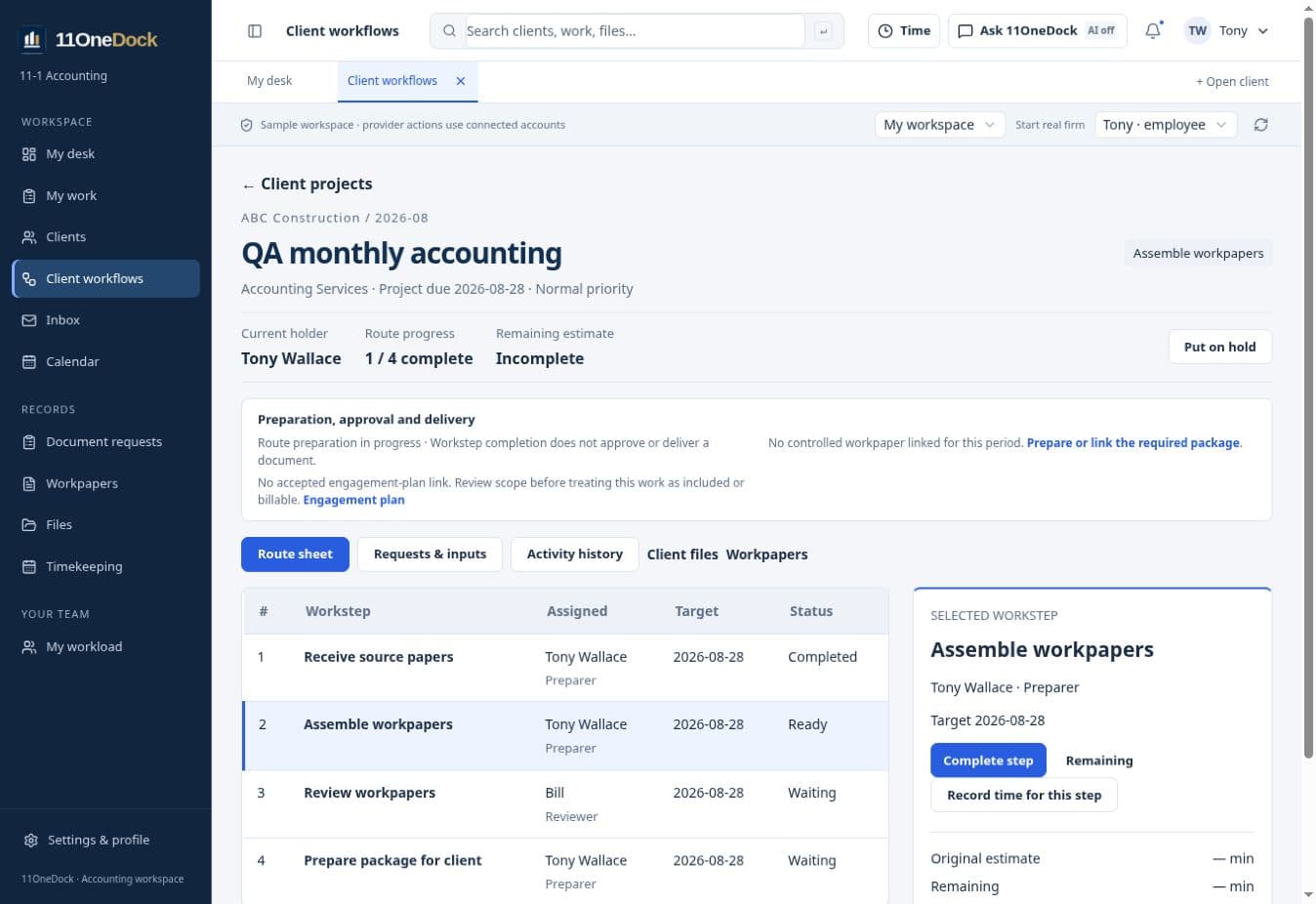
CLIENT WORKFLOWS
Keep the project, period, accountable people and next step together. Follow an accounting route through preparation, review, corrections, approval and delivery, with evidence visible beside the selected step.
Start with assigned work. See what is due, what is blocked and which client needs attention. Open the work without losing your place.
Find overdue work, review queues and unassigned steps. Inspect capacity and financial evidence without mistaking missing inputs for healthy results.
Keep the current period, workflows, document requests, files and workpapers together, with access limited to the permitted client and role.
CLEAR ABOUT WHAT IS AVAILABLE
The workspace is in active development. Pilot setup includes checking which connections and workflows are available for your firm.
Move and resize widgets, open detailed views, and save layouts for your workspaces. Undo and cancel keep customization predictable.
Google and Microsoft tools use permitted connected accounts. Official time requires a configured QuickBooks Time account. The read-only QBO connection awaits Intuit configuration and live validation.
Firm budgets and permission settings are available. Live AI and automatic execution still require validation. AI provider charges and external service costs remain separate. Creating an account never activates paid AI automatically.
EXPLORE THE WORKSPACE
Explore setup or request access. Existing invited employees use their own 11OneDock sign-in; new firm registration remains closed while launch checks are completed.